

Download Google Desktop Search – search tool, file search, desktop search, Google search, local search, offline search, document search, email search, utility tool, productivity app
Overview
Google Desktop Search is a productivity-focused utility designed to streamline the process of locating files, emails, and web content stored locally on a Windows computer. By leveraging the same indexing and search technology that powers the global Google search engine, the application brings a familiar, efficient interface to local information retrieval. It addresses the common challenge of navigating through fragmented digital workspaces—where documents, emails, and browser history are scattered across multiple folders and applications—by creating a unified search platform.
The app is particularly beneficial for users who manage large volumes of digital content, such as professionals, researchers, students, and office workers. Its ability to index files from common programs like Microsoft Word, Excel, and PowerPoint, as well as email clients like Outlook, enables rapid access to critical data without manual file navigation. The tool also extends functionality by allowing users to search through previously visited web pages, even when offline, making it a reliable companion for uninterrupted workflow.
Developed by Google, the application reflects the company’s long-standing commitment to information accessibility and user-centric design. Although the app was released in 2008, its core concept—centralized local search—remains relevant in today’s digital environments. Despite no longer being actively updated, Google Desktop Search continues to serve as a foundational example of how search technology can be adapted for personal computing, contributing to the broader ecosystem of productivity tools.
Key Features & Functionality
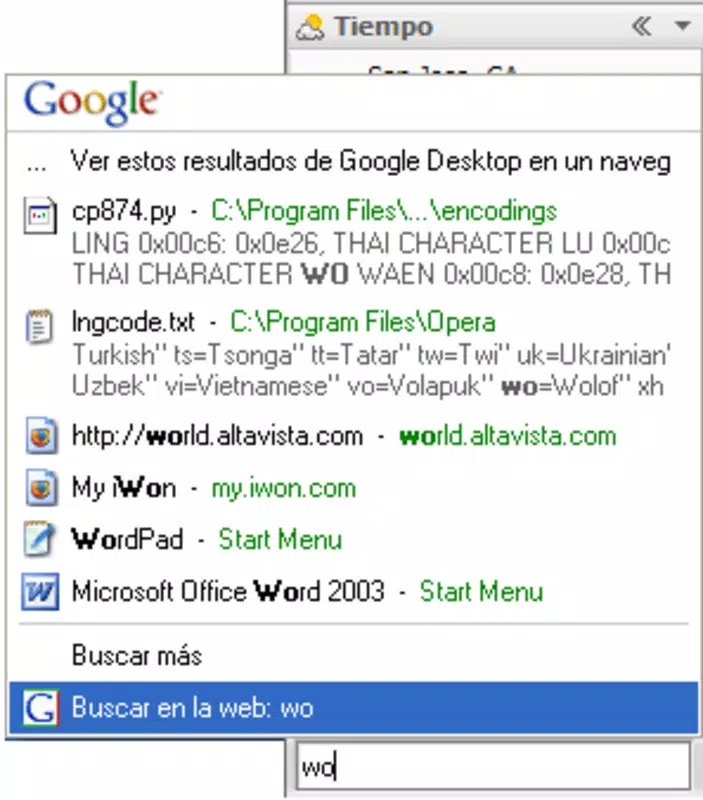
- Instant Search Functionality: The application continuously indexes local files, emails, and documents, enabling near-instant search results. Users can type a keyword and receive relevant matches within seconds, significantly reducing time spent browsing folders.
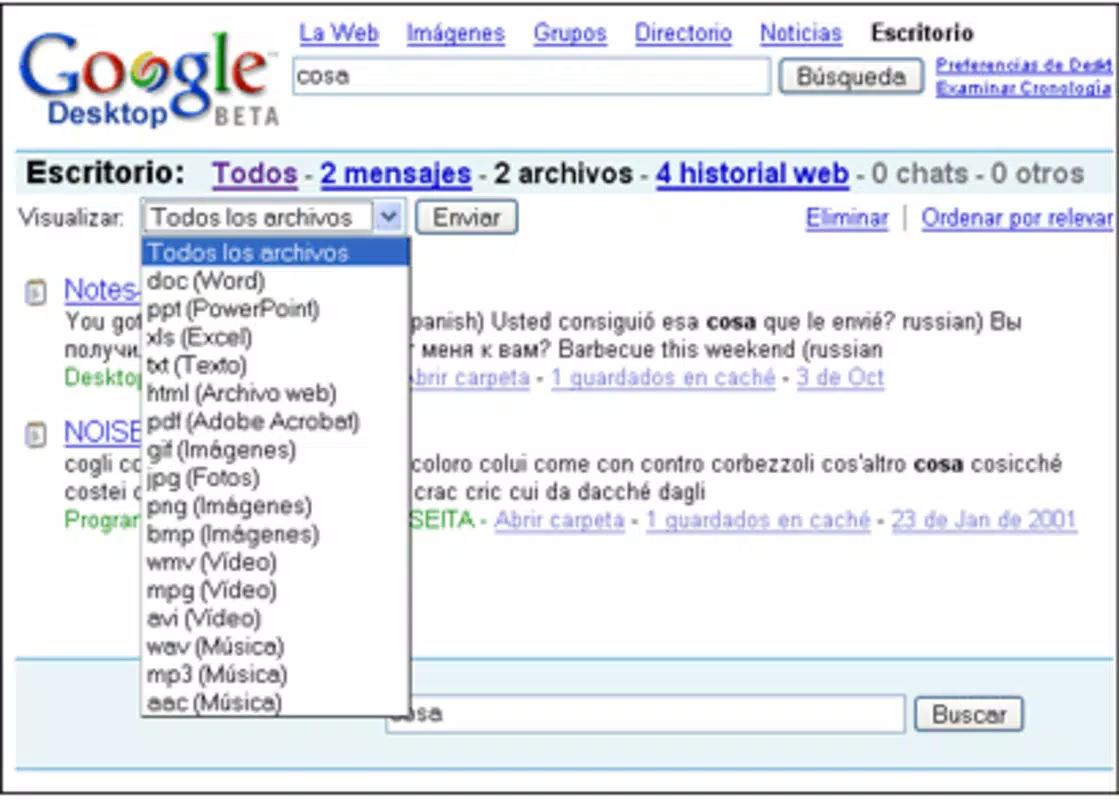
- Familiar Search Results Layout: Search outputs are presented in a format identical to the standard Google search engine, including snippets, file types, and timestamps. This consistency lowers the learning curve for users already accustomed to Google’s interface.
- Offline Web Page Search: Google Desktop Search stores cached versions of visited web pages, allowing users to retrieve information even without an internet connection. This is especially useful for accessing research notes, reference materials, or documentation during travel or in low-connectivity environments.
- Comprehensive Resource Indexing: The tool supports indexing of various file types and applications, including Microsoft Office documents, email archives, and local media. This broad coverage ensures that users can locate almost any digital asset stored on their system.
- Integrated Mini-Browser: A lightweight browser window is embedded within the desktop interface, allowing users to preview search results, open files directly, and navigate between local and web content seamlessly.
For example, a researcher working on a long-term project can search for “Q3 financial report” and instantly retrieve the latest version from a shared drive, even if the file was last opened months ago. Similarly, a student preparing for an exam can search for “organic chemistry notes” and access a cached version of a lecture page, regardless of network availability.
Interface, UX & Performance
Google Desktop Search features a clean, minimalist interface that mirrors the Google homepage, with a prominent search bar and results displayed in a vertical list. Navigation is intuitive, with results categorized by file type, location, and date. The design prioritizes speed and clarity, minimizing visual clutter to enhance focus on search output.
Users can access the search bar via a small icon in the system tray or by using a keyboard shortcut, enabling quick activation without disrupting workflow. The results pane displays file previews, metadata, and direct links to open or locate the original file. Although the developer did not list formal performance metrics, the application is reported to run efficiently on systems with moderate hardware, consuming minimal system resources.
Responsiveness is generally consistent, with search queries resolving in under a second on most machines. Stability appears reliable, with no widespread reports of crashes or freezes. However, since the app is no longer actively maintained, long-term compatibility with newer Windows versions may vary. Users are advised to test the application on their specific system before full deployment.
Platform Compatibility & Technical Requirements
Google Desktop Search is designed exclusively for the Windows platform. It requires a Windows operating system, though the specific minimum version was not disclosed by the developer. The application has a file size of 13.2 MB, indicating a lightweight footprint that should not strain system storage.
Although the developer did not specify minimum OS requirements or hardware specifications, the app was originally released in 2008 and has been tested on Windows XP and later versions. Users on modern Windows systems may encounter compatibility issues due to the age of the software. It is recommended to verify system compatibility before installation, especially on Windows 10 or 11 systems.
Pros and Cons
Pros
- Efficient, instant search across all local files and emails
- Familiar Google-style interface reduces learning curve
- Supports offline access to previously visited web pages
- Lightweight with minimal system resource usage
- Comprehensive indexing of documents, emails, and applications
Cons
- Not actively updated or supported by the developer
- Potential compatibility issues on newer Windows versions
- Limited to Windows platform only
- No cloud synchronization or cross-device access
- Outdated technology with no modern security updates
FAQ
Is Google Desktop Search safe to install?
Yes, the application is secure as it only accesses local files and does not transmit data to external servers. However, since it is no longer updated, it may lack current security patches.
Can I use Google Desktop Search on Windows 10 or 11?
Compatibility is possible on some systems, but the developer did not confirm support for newer Windows versions. Users should test the app on their specific machine.
Does Google Desktop Search require an internet connection?
While the app uses online indexing during setup, it functions fully offline after indexing. Search results for cached web pages and local files do not require internet access.
Is Google Desktop Search free to download?
Yes, the application is available at no cost. No in-app purchases or subscription fees are required.
How do I update Google Desktop Search?
As the app is no longer actively maintained, no official updates are available. Users should rely on the latest version from trusted sources.
Final Thoughts
Google Desktop Search remains a pioneering tool in the realm of local information retrieval. Its ability to unify file, email, and web content into a single searchable interface offers tangible benefits for users who value speed and efficiency. While its age presents limitations in compatibility and security, the core functionality remains effective for those working in stable, legacy environments.
For professionals managing large digital workloads, researchers, or anyone seeking a fast, no-frills search utility, Google Desktop Search delivers a reliable solution. Its simplicity, low resource usage, and offline capabilities make it a valuable addition to older systems.
Download Google Desktop Search now


